
This is the page to read the moment you set up any self-custody wallet, and to re-read before you feel confident. It's the security foundation for self-custody and pairs with avoiding scams.
What the recovery phrase actually is
Under the hood, a wallet is controlled by a private key — a long string of numbers. The recovery phrase is just that key, translated into a list of common words so a human can write it down. The two are equivalent: whoever has the phrase has the coins. It is not a password (there's no way to change it or reset it), and it is not a backup of your transaction history (it's a backup of your access). Get it and you can restore the wallet on any compatible device; lose it and the coins are unrecoverable, even though they still exist on the blockchain.
The golden rules
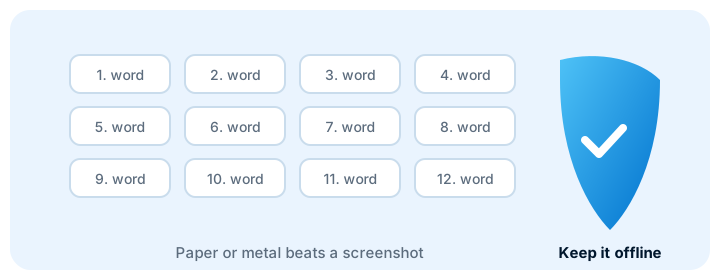
1. Offline only. The phrase never touches the internet. No photos, no screenshots, no notes app, no cloud drive, no email to yourself, no password manager. If it can be uploaded, it can be stolen.
2. Never share it. No support agent, no "recovery" service, no website, no friend. Anyone who asks for it is a scammer. This is the single most important rule in crypto.
3. Store it so it survives. The backup must outlive the device and the places you live. Fire, flood, and a broken phone are all realistic threats to a single piece of paper in a desk.
Backup methods, from best to "be careful"
- Steel backup (most durable). The phrase etched or stamped onto metal plates. It survives fire, water, and decades. This is the strongest option for a meaningful holding, because paper's main enemies are heat and moisture.
- Paper, stored well (good, with care). Fine for many people if you store it somewhere safe and dry — and ideally in more than one location, so a single house fire or flood doesn't take both the device and the only backup. Two copies in two separate physical locations is the standard advice.
- Encrypted digital backup (a careful middle ground). Some people keep an encrypted copy of the phrase (encrypted with a strong password you remember) as a convenience layer, in addition to a physical backup. This is a judgment call: it adds a theft surface, so the physical backup must still exist and be trusted. If you do this, the encryption password is now also critical — losing it locks you out of the digital copy.
- Things that are not backups. A photo in your camera roll, a note in a phone app, a cloud document, or a screenshot are not backups — they are the phrase sitting online where it can be stolen. They give a false sense of security while creating a real one.
The mistakes that permanently lose access
- Losing the only copy. One piece of paper, one location, one fire. The fix is redundancy: at least two copies, in two separate physical locations.
- Writing it down wrong. A single transposed word can make the backup useless. Read it back against the device, in order, before you put it away. Some devices let you verify the backup — use that.
- Photographing or uploading it. The most common modern mistake. It converts a safe offline secret into an online one. Delete any such copies you've made.
- Trusting a "recovery" service with it. Sharing the phrase to "recover" coins hands the coins to the scammer. No legitimate service needs it.
- Putting it where a household member or guest can find it. "Safe" means safe from people as well as from fire. A wallet in a shared home needs a location only you know.
Putting it together: a sensible setup
- When the device shows the phrase, write it on paper (or steel) in order, then verify it matches the device exactly.
- Make at least two physical copies and store them in two separate locations that survive different disasters (e.g., a home safe and a trusted off-site location).
- Keep the device itself in a safe place, but remember the device is not the backup — the phrase is. A lost or broken device is recoverable from the phrase; a lost phrase is not recoverable from the device.
- Test the restore once, on a trusted computer, to prove the backup actually works — then put everything away.
Do this once, carefully, and you've done the one thing that protects everything else. It's unglamorous and it's the whole game.
Frequently asked questions
Can I change my recovery phrase?
No. It's derived from your wallet's key and can't be changed the way a password can. If you suspect it's been exposed, the correct move is not to "change" it — it's to move your coins to a brand-new wallet with a fresh phrase, and treat the old one as burned.
Should I tell a family member?
This is a personal risk call. Some people give a trusted person a copy or instructions, accepting that person could also be a threat; others keep it fully secret, accepting that their death could lock the coins away. There's no universal right answer — think about what you'd want to happen, and if you share it, share it securely (in person, with a physical copy), never over the internet.
Is a password manager okay for the phrase?
Generally no, for the same reason as any other digital storage: it's online and can be compromised, and a password manager breach or a sync issue exposes the phrase. The phrase is meant to live offline. If you use a password manager for your exchange account passwords, that's a different and reasonable thing — but keep the recovery phrase off it.
What if I already photographed it?
Delete every copy — the photo, the cloud sync of it, and any backup the cloud may have made. Then make proper offline backups (paper or steel, in two locations) and verify them. The photo is now a live risk until it's gone from everywhere it was synced.
Where to go next
Now that the backup is safe, the next steps are moving your coins to the wallet and keeping scam awareness current — because the phrase rules and the scam rules are two sides of the same protection.